Muralume starts as a native Mac video player, then lets a local clip become part of the desktop itself. The idea is simple: keep your own videos on the Mac, browse them in a library, and send playback to one or more displays without turning your files into an online collection.
That makes it a different kind of desktop customization app. Muralume combines a media library, playlists and player controls with Dynamic Desktop behavior, while leaving the source files in their existing locations.
The desktop is part of the player
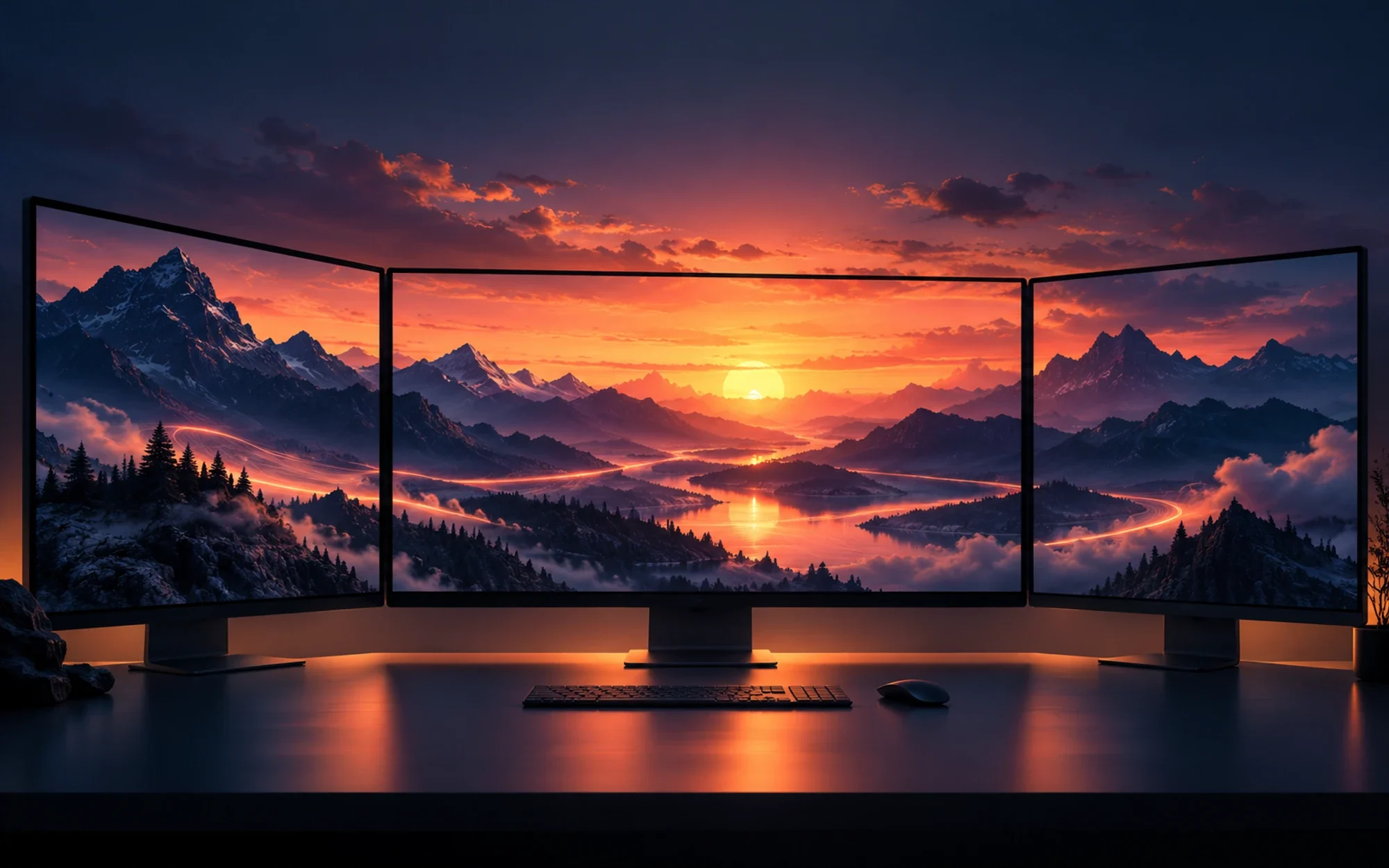
A video can stay in a normal playback window, or become a moving desktop background. Muralume exposes both uses from the same local library, so a clip you already watch can also set the mood behind your windows.
The desktop remains a working macOS desktop: files and widgets can sit over the moving image. For a more focused setup, the app can keep a video running as the desktop while you use other apps, rather than forcing the clip to occupy a foreground player.
A library that leaves files where they are
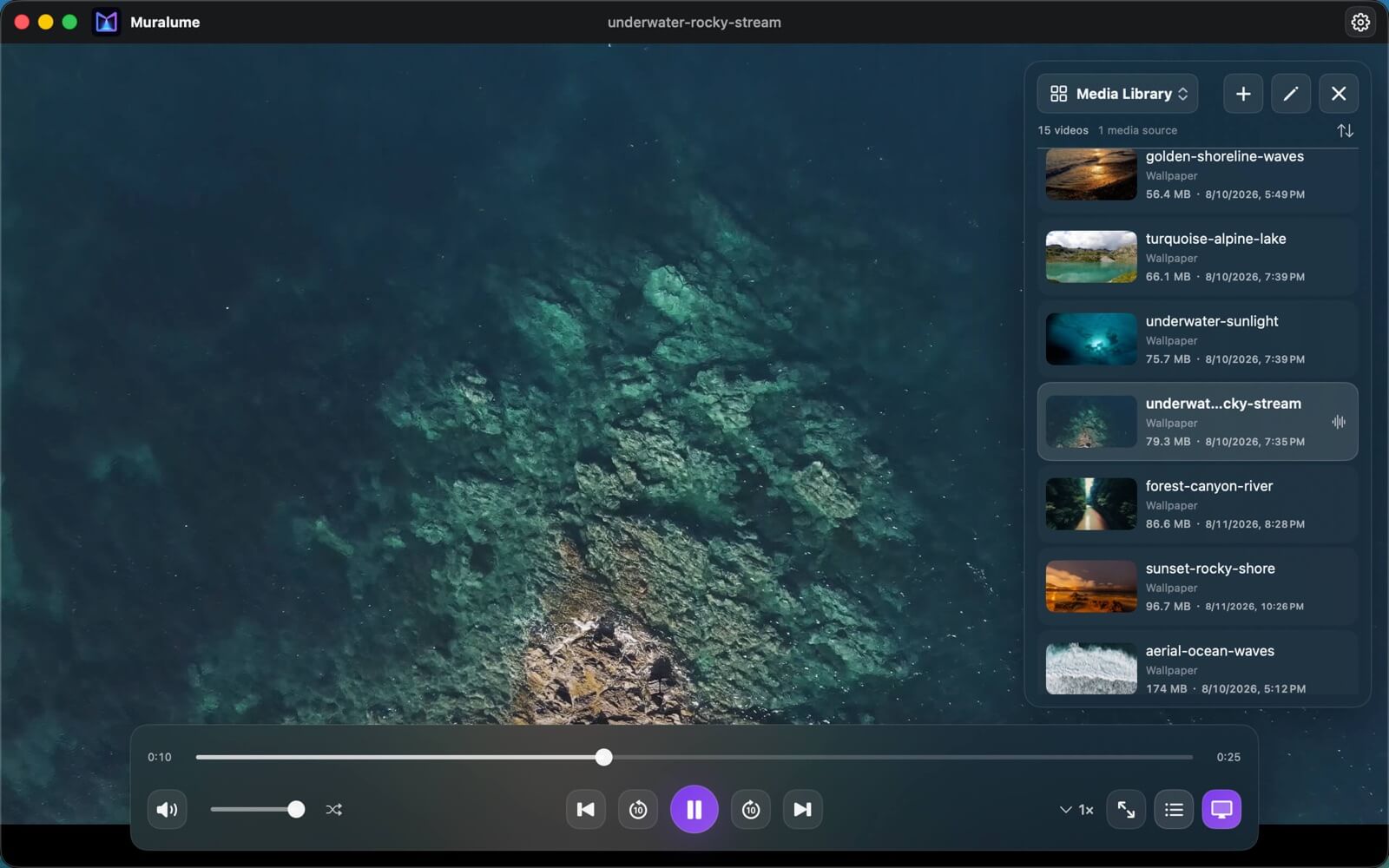
Muralume can browse local folders, show thumbnails, and help sort or search a growing collection by name or location. The app can notice media changes while it is running, which is useful when you add clips to folders you already use.
This is a library view, not a promise that your media is copied into a new managed archive. The README describes read-only access to selected media, so your original files remain where you put them. You keep control of folder organization and storage.
One synchronized view or separate screens
With multiple displays, Muralume can extend one synchronized video experience across the setup, or let each display use its own loop. That gives a desk with mixed monitor sizes a choice between one continuous scene and several independent backgrounds.
The distinction matters if you want a calm, coordinated workspace on one day and different scenes on each screen the next. The repository documents these modes as user choices; it does not claim that every display combination has been tested here.
Playlists, queue and everyday controls
Custom playlists let you group clips around a task, time of day or display. You can add and reorder videos, search within a playlist, and return to the last playlist when you reopen the app.
The queue supports ordinary playback choices such as next and previous, shuffle and repeat, alongside seeking, volume and speed controls. In v1.5.0, the project says queue creation and navigation are faster, with smoother transitions enabled by default.
Subtitles and media details stay close
Muralume can switch between embedded audio and subtitle tracks, and load local SRT or WebVTT subtitle files. Subtitle appearance can be adjusted, which helps when a clip is easier to follow with captions or when the display sits farther away.
The information panel can show details such as container, codec, resolution, frame rate, color, audio tracks and subtitles. The app also documents taking a JPEG still from playback, so it can serve for casual viewing as well as desktop ambience.
Smart Pause for changing power and visibility
Dynamic Desktop playback can be paired with Smart Pause, an optional behavior that responds to visibility and system or power conditions. Its goal is to avoid doing unnecessary playback work when the moving desktop is not useful, while allowing you to retain manual control.
Muralume can restore the current session after you reopen it, and an optional launch-at-login setting can bring the desktop video back when you sign in. Treat these as convenience settings: the best behavior depends on how you use displays and power on your own Mac.
Format names are not codec guarantees
The README lists common macOS video containers and additional file extensions that Muralume can recognize. Those names describe the files the app can encounter; they do not mean that every codec inside every file will play.
Playback still depends on what AVFoundation and the installed macOS version can decode. If a particular camera, archive or downloaded clip matters to your workflow, test that file on your Mac before building a large library around it.
Install from the Mac App Store
The project README links Muralume to its exact Mac App Store listing, describes it as free, and lists Apple silicon with macOS 14 or later. The store is the simplest route: install there and let App Store deliver updates.
For a direct download, the official v1.5.0 release also includes a Muralume.dmg. Use it as an alternative to the store, and check the release notes when you want the exact build details. Open the Mac App Store listing or download Muralume.dmg from the official release.
open "https://apps.apple.com/app/id6799577992"What changed in v1.5.0
Published on October 25, 2026, v1.5.0 focuses on responsiveness with larger media libraries. Its release notes describe faster importing, refreshing, sorting and searching, plus less repeated indexing while building and navigating queues.
The update also reduces background work around playback, subtitles and Dynamic Desktop. Smooth queue transitions are now enabled by default while explicit existing preferences are preserved; the project also reports improved cancellation and resource handling when media selections change quickly.
Local-first privacy, with a clear license boundary
The project describes local processing, read-only access to chosen media, and no account, media uploads, product telemetry or automatic crash reporting. That is a useful fit if you want a desktop player that works with files you already keep on your Mac.
The source is MIT-licensed, but that grant does not cover the Muralume name or the brand assets listed by the project. Third-party components keep their own terms. The repository and its license files are the right references before redistributing a modified copy.
Who will enjoy Muralume?
Muralume is worth a look if you use an Apple silicon Mac on macOS 14 or later, keep video locally, and like the idea of using selected clips as desktop scenery. Playlists and per-display choices add structure when a folder of favorite videos becomes more than a one-off experiment.
It is less compelling if you need a cloud-synced library or guaranteed playback for every codec. The project’s README and v1.5.0 release notes describe the current scope and installer options.
Project facts
- License
- MIT (source code; brand assets excluded)
- Platform
- macOS 14+; Apple silicon
- Written in
- Swift 6, SwiftUI
- Version reviewed
- v1.5.0 — 2026-10-25
- Repository
- github.com/MisakiHCL/Muralume
Install
open "https://apps.apple.com/app/id6799577992"Demo
License summary
The repository's MIT license covers its source code and documentation. The Muralume name, app icon, marks and listed visual brand assets are excluded; third-party components retain their own license terms.