What UTM is, in one answer
UTM describes itself as a full-featured system emulator and virtual machine host for iOS, macOS and visionOS built on QEMU (repository README). That one sentence explains the tool's shape. Instead of assuming your guest shares your Mac's processor, UTM can either hand a guest to the Mac's own hardware virtualization support or fall back to software emulation of a foreign instruction set.
On macOS this produces three documented execution paths, and the project keeps them separate:
- Same-architecture guests run through Apple's Hypervisor framework. The project's architecture note states that QEMU's
hvfaccelerator "provides same architecture virtualization (x86 -> x86 or ARM64 -> ARM64) on macOS", and the official product page says ARM64 operating systems therefore run at near-native speed on Apple silicon (Architecture.md, mac.getutm.app). - Different-architecture guests are emulated by QEMU. The product page names Intel x86/x64, ARM32, MIPS, PowerPC and RISC-V among the emulated targets, and emulation is slower by nature.
- macOS guests on Apple silicon can also boot through Apple's Virtualization.framework, which the project uses for macOS guests on Apple silicon Macs running macOS 12 or later.
So the honest answer to "does it work" is not a yes or no. It is: this UTM virtual machine works at near-native speed exactly when the guest's architecture matches the host's, and it works slowly by design when it does not.
Who that suits: readers who need an open source VM host, who mainly run ARM64 Linux or Windows for ARM on an Apple silicon Mac, or who want a classic system such as Mac OS 9.1 or a PowerPC-era distribution available on a modern machine. Who it suits less: anyone whose daily work depends on 3D acceleration inside a Windows game, or who expects the emulated path to feel close to native.
Project facts at a glance
Field | Detail |
Project | UTM, a system emulator and virtual machine host for iOS, macOS and visionOS |
Repository | github.com/utmapp/UTM |
License | Apache 2.0, bundling several (L)GPL components |
Platform | macOS 12 or later and iOS 15 or later; the README also names visionOS |
Written in | Swift/SwiftUI frontend over a custom QEMU fork |
Version reviewed | Release notes through v5.0.8, checked 26 October 2026 |
Distribution | UTM.dmg from GitHub releases, or the Mac App Store build |
Price | Free to download; the App Store build is a paid, feature-identical version |
Two fields in that card deserve a closer look. First, the frontend's SwiftUI baseline is what sets the macOS 12 and iOS 15 floor, and the release notes record that the project raised those minimums in v5.0.6 — so a Mac on an older system cannot simply run the current build. Second, "version reviewed" is load-bearing here, because several capabilities are gated by host OS version rather than by the app alone.
Everything below is based on the project's own product page, repository documentation and release notes as they stood on 26 October 2026. It is a documentation-based assessment rather than a hands-on lab test, which is why you will not find benchmark numbers in it.
The capability boundary: same architecture versus different architecture
This is the section that decides whether UTM is usable for your purpose. The pairing of host chip and guest architecture, not the app's feature list, sets the ceiling.
Host | Guest | Path | What to expect |
|---|---|---|---|
Apple silicon | ARM64 (Windows for ARM, Ubuntu ARM, ARM64 Linux) | Hypervisor framework / QEMU | Near-native speed, per the official product page |
Apple silicon | Intel x86/x64, ARM32, MIPS, PowerPC, RISC-V | QEMU emulation | Functional, but slow |
Intel Mac | Intel x86/x64 | QEMU | Hardware-virtualized |
Intel Mac | ARM64 or anything else | QEMU emulation | Slow |
The Intel row needs a qualification, because the official product page does not spell Intel Mac support out in a single marketing sentence. The conclusion rests on two primary documents instead: the architecture note, which limits hvf to x86-to-x86 or ARM64-to-ARM64 virtualization on macOS and explicitly notes it is not available on iOS, and the official macOS build instructions, whose scripts accept ARCH=x86_64, ARCH=arm64 or a universal "arm64 x86_64" (MacDevelopment.md). Treat Intel support as framework-and-build-target support rather than a vendor promise.
The same boundary runs through the guest list. x86 guests on Apple silicon are emulated, and no amount of RAM makes emulation look like virtualization; the product page's "near native" wording applies to the ARM64 case, not to the emulated one.
Virtualize or emulate: the decision rule
Inside the app you choose between configuring a guest to be virtualized or emulated, and many confusing first experiences come from picking the wrong one. The rule is short: if the guest's instruction set matches the host's, virtualize it; if it does not, you must emulate it.
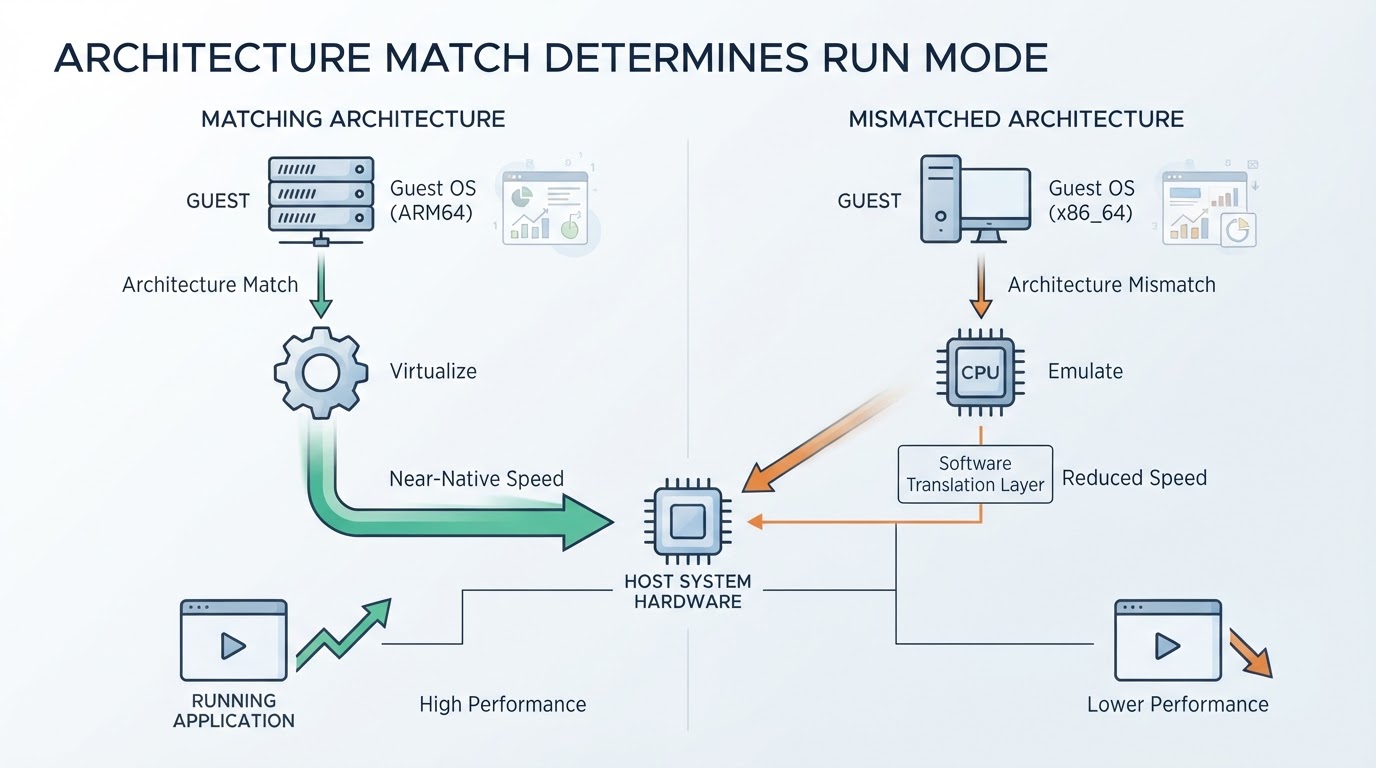
Applied to the common cases:
- Windows on an Apple silicon Mac means Windows for ARM, virtualized. An x86 Windows image in the same app is the emulated case, and it will show it.
- Linux on an Apple silicon Mac means an ARM64 build such as Ubuntu ARM, virtualized. An amd64 ISO is the emulated case.
- macOS on an Apple silicon Mac is the third path, booting through Virtualization.framework, and it needs macOS 12 or later on the host.
- Mac OS 9.1, old PowerPC or SPARC systems are emulation by definition. That is what makes them possible on current hardware at all, and also why they feel nothing like a native desktop.
One practical consequence: download the architecture the guest vendor publishes for ARM, not the one you were used to on a PC. Choosing the ARM64 image is the difference between a virtualized guest and an emulated one.
What you can actually run
The official site names four groups of runnable guests:
- Windows, including Windows for ARM on Apple silicon.
- Linux, including ARM64 builds such as Ubuntu ARM.
- macOS instances, on Apple silicon hosts running macOS 12 or later.
- Classic systems that ran on PowerPC, SPARC or x86 — the product page shows Mac OS 9.1 running in UTM.
Two things this article deliberately does not cover: a step-by-step Windows guest installation, and a comparison against commercial Mac virtualization apps. Both are separate decisions from whether UTM's capabilities fit your Mac, and mixing them in would blur the answer.
Graphics, USB and the parts still maturing
The most useful limitation to understand before you install is graphics. The project documents real progress and real caveats in the same breath:
- Windows 11 guests get DirectX 11 and DirectX 12 support, but the v5.0 release notes describe the Windows DirectX driver as experimental with currently limited game compatibility.
- Linux guests get Vulkan 1.3 support.
- The Apple CoreGL graphics backend supports neither Vulkan nor DirectX, so the backend you pick caps what is reachable.
- SPICE/QXL VGA graphics and a text terminal mode cover the non-accelerated cases.
Device and workflow features are more settled: USB device passthrough, QEMU TCG JIT acceleration for emulated targets, a snapshots tab (for QEMU virtual machines on macOS and iOS 26, and for Apple Virtualization machines on macOS 27), and scripting through AppleScript and the utmctl command line tool. On macOS 27, the Apple Virtualization path additionally gains USB passthrough, Secure Boot for Linux guests, the ability to run a guest without saving changes, and virtual-machine-to-virtual-machine networking.
Read as a whole, the caveat list points at one risk: anything that needs GPU acceleration inside a Windows guest. If your workload is an ARM Linux development machine, a Windows-for-ARM productivity guest or a classic desktop, the documented feature set is enough. If it is a modern Windows game, the experimental DirectX driver is the constraint you will hit first, and no configuration in the app removes it.
How to get the official release
The documented macOS distribution is a disk image, not an installer package:
- Open the project's latest release page and download
UTM.dmg. The README's download badge points atreleases/latest/download/UTM.dmg. - Mount the image and copy
UTM.appinto/Applications— the release installation table documents exactly that sequence. - Alternatively, install the Mac App Store build, which the project describes as feature-identical.
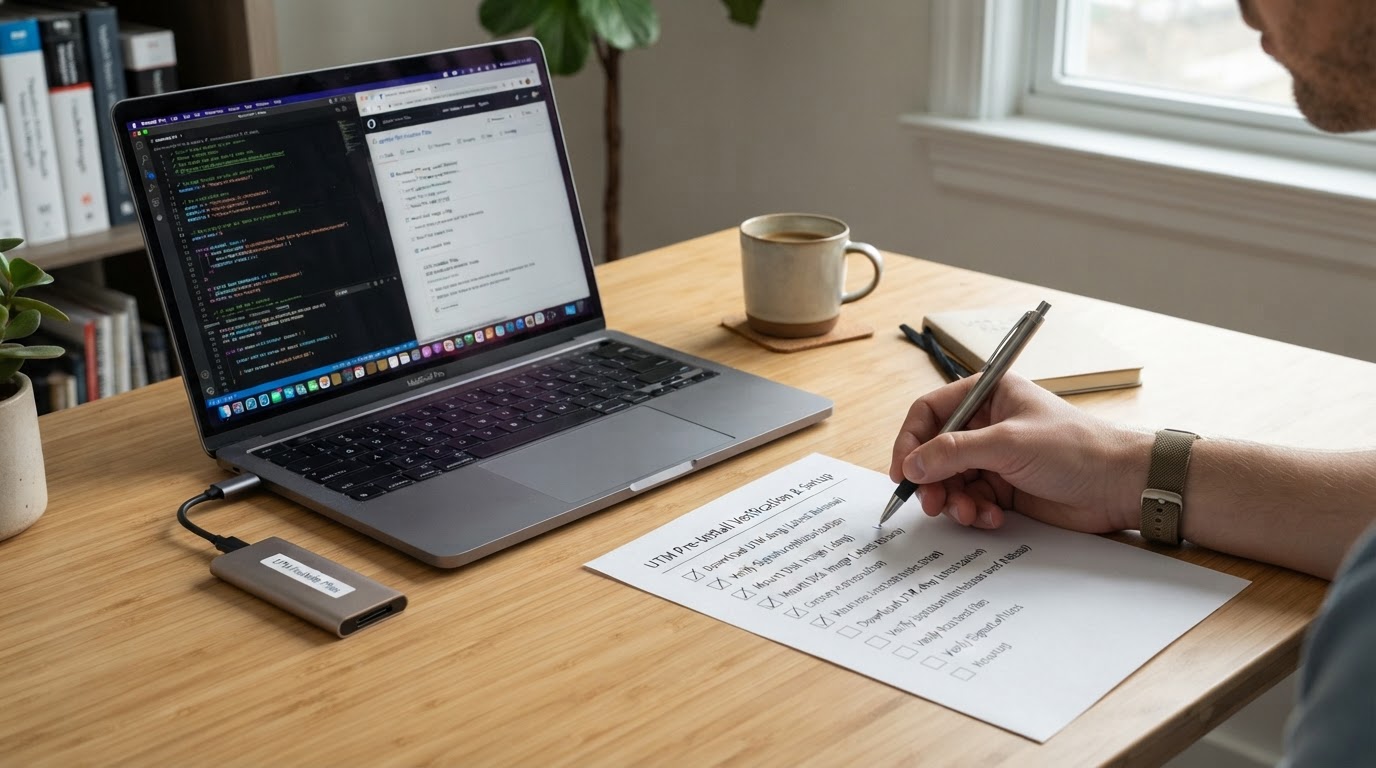
On verification, be precise about what the project actually publishes. The release page and the in-repo build documentation describe signing and notarization inside the build pipeline, but no published SHA-256 checksum file or checksum command appears on the pages reviewed here. Rather than print a hash value that could not be checked against a primary source, treat the checksum step as conditional: if the channel you downloaded from publishes a SHA-256 for that specific build, compute it locally with shasum -a 256 UTM.dmg and compare before mounting; if it does not, rely on the signed, notarized build and macOS's own launch protection.
Building UTM from source
If you want to build it yourself, the official macOS development notes describe a specific sequence rather than a generic CMake invocation:
- Clone recursively, with
--recursiveon the clone orgit submodule update --init --recursiveafterwards, so the QEMU submodule is present. - Fetch the prebuilt sysroot dependencies from GitHub Actions, or run
./scripts/build_dependencies.sh -p macos -a ARCH, whereARCHisarm64orx86_64;pack_dependencies.shproduces universal binaries. - Build with
./scripts/build_utm.sh -t TEAMID -k macosx -s macOS -a ARCH -o OUT, whereARCHacceptsx86_64,arm64, or"arm64 x86_64".
Two build-time facts explain why self-built copies behave differently. Unsigned packages produced with package_mac.sh lack certain features, USB and network bridging among them, and full functionality requires a paid Apple Developer account with provisioning. A "UTM is missing USB" report after a source build is usually this, not a bug.
License summary
The repository's license section states that UTM is distributed under Apache 2.0 but uses several (L)GPL components, GStreamer among them. For everyday use this changes nothing: downloading and running the app is free. For anyone repackaging, bundling or redistributing UTM, the practical answer is to read the repository's license section in full rather than assume a single permissive license covers every binary component that ships with the app.
What the official screenshots show
The official product page hosts screenshots of the virtual machine library with its snapshots column and of the virtual machine settings and configuration panel. Caption them for what they are: vendor marketing images of the interface. They are useful for seeing how the library and the configuration panel are organised, and they are not evidence of performance, of benchmark results, or of demo-account data.
That distinction is why this article describes the configuration panel in words instead of reproducing a capture. A vendor screenshot proves what the interface looks like; it proves nothing about how fast a guest runs.
Fit check: when UTM is the right tool for your Mac
Four questions settle it: which chip your Mac has (it decides what can be virtualized), which architecture your guest build is (ARM64 is the fast path on Apple silicon, x86 is the emulated one), whether your workload needs GPU acceleration (productivity and development guests are fine, 3D Windows games meet the experimental DirectX driver), and whether your host system is current (macOS 12 is the floor for the current build).
If those point the same way — Apple silicon Mac, ARM64 guest, no GPU-heavy workload, current macOS — UTM is a credible fit and the free download is the right first move. If your guest is x86 and speed matters, plan for emulation costs up front; the boundary is architectural, not a settings problem you can fix later.
FAQ
Does UTM run on both Apple silicon and Intel Macs?
Yes. UTM runs natively on Apple silicon M-series Macs through Apple's Hypervisor framework or QEMU, and it also supports Intel-based Macs. Keep the focus on platform fit when you choose a guest: on Apple silicon the fast path is ARM64, while on an Intel Mac the fast path is x86/x64, because the hvf accelerator only virtualizes the matching architecture.
What operating systems can UTM run on a Mac?
Windows, Linux and macOS on Apple silicon, plus classic PowerPC and x86 systems. Whether a given guest is virtualized or emulated depends entirely on its architecture: an ARM64 Windows or Ubuntu image is virtualized on an Apple silicon Mac, while an x86 or PowerPC image is emulated and runs correspondingly slower.
Is UTM free, or do I need to pay for the Mac App Store version?
UTM is free and open source, and the Mac App Store build has the same features. The project's FAQ lists automatic updates as the App Store build's advantage and says buying it funds development. The official pages reviewed here print no price for the App Store version, so treat the amount as something to check in the App Store at purchase time rather than something quoted here.
What affects performance most?
Three things, in order: whether the guest architecture matches the host (the difference between virtualization and emulation), which graphics backend the guest can use (Apple CoreGL does not support Vulkan or DirectX), and the host OS version, since newer Apple Virtualization capabilities are gated to macOS 26 and macOS 27.
What should I check before installing?
Confirm your chip, confirm the host runs macOS 12 or later, confirm an ARM64 build of your guest exists, and decide whether you need USB passthrough or network bridging — both are absent from unsigned source-built packages and need a properly provisioned build. If a checksum is published for your download, verify it before mounting the image.