All Posts
Browse all blog posts

Uttrflow for Mac: Local Dictation, Clipboard, and AI Suggestions
Uttrflow combines push-to-talk dictation, a smart clipboard, and optional AI text suggestions in a native Mac app. Learn what stays local, why sign-in and Accessibility permissions matter, and how to handle its unnotarized official DMG.

Sakura Reader: RSS, Podcasts, and Offline Reading in One App
Sakura Reader brings RSS feeds, video channels, and podcasts into a customizable reader for iPhone, iPad, and Mac. Explore its feed layouts, on-device Apple Intelligence features, offline reading, privacy disclosures, and App Store installation.

AudioPaper for Mac: Music-Inspired Desktop Wallpapers
AudioPaper turns Apple Music playback into a changing Mac wallpaper, moving from album covers to credited artist images. See how its image search, local filtering, privacy boundaries, and official v0.1.9 DMG fit together.

PureMac for Mac: Clean Up Storage Without the Hype
PureMac combines app removal, orphan and duplicate review, storage exploration, and Mac cleanup in a free MIT-licensed utility. Here is what it can remove, when changes are permanent, and why Full Disk Access deserves care.
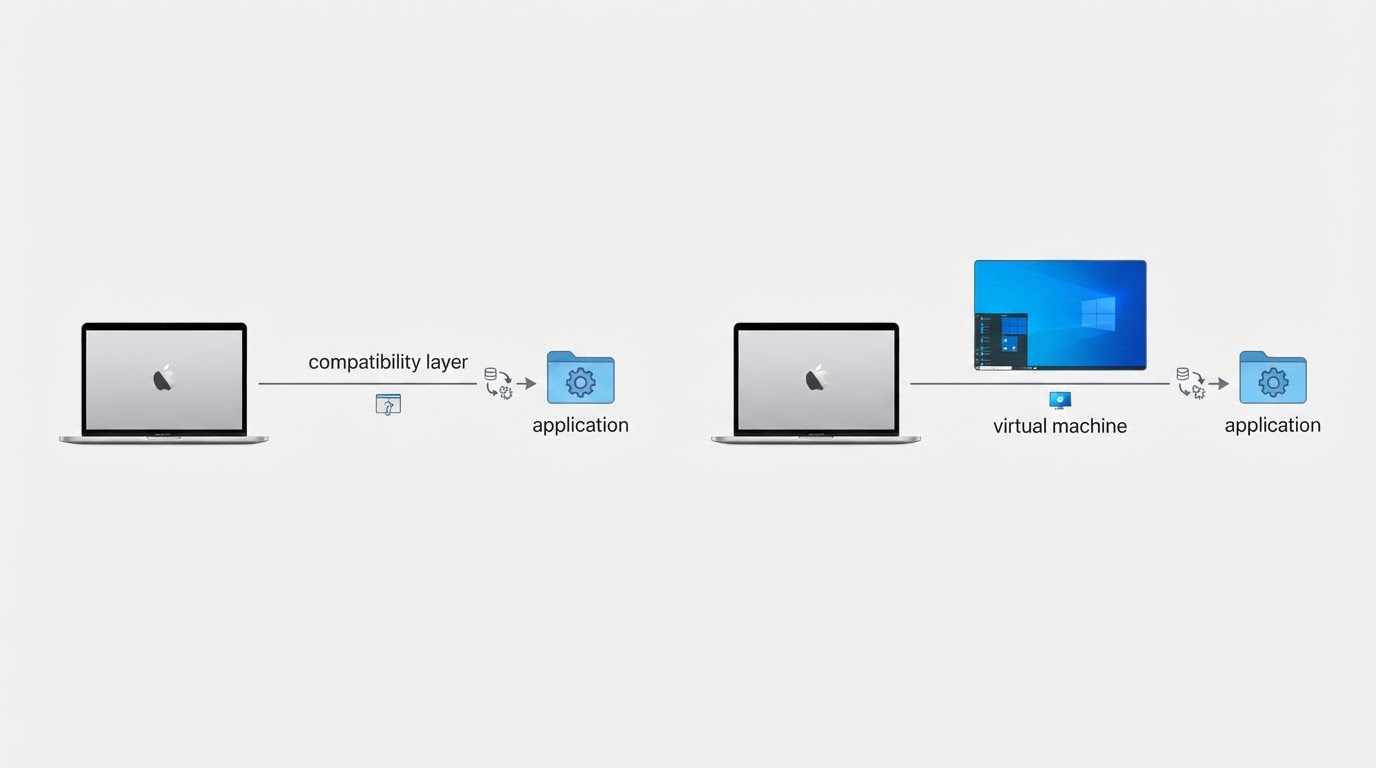
CrossOver Mac: How to Install and Run Windows Software
CrossOver can run some Windows programs on a Mac by translating Windows calls instead of booting a full Windows install. Here is how to check support, set up a bottle, and triage failures.
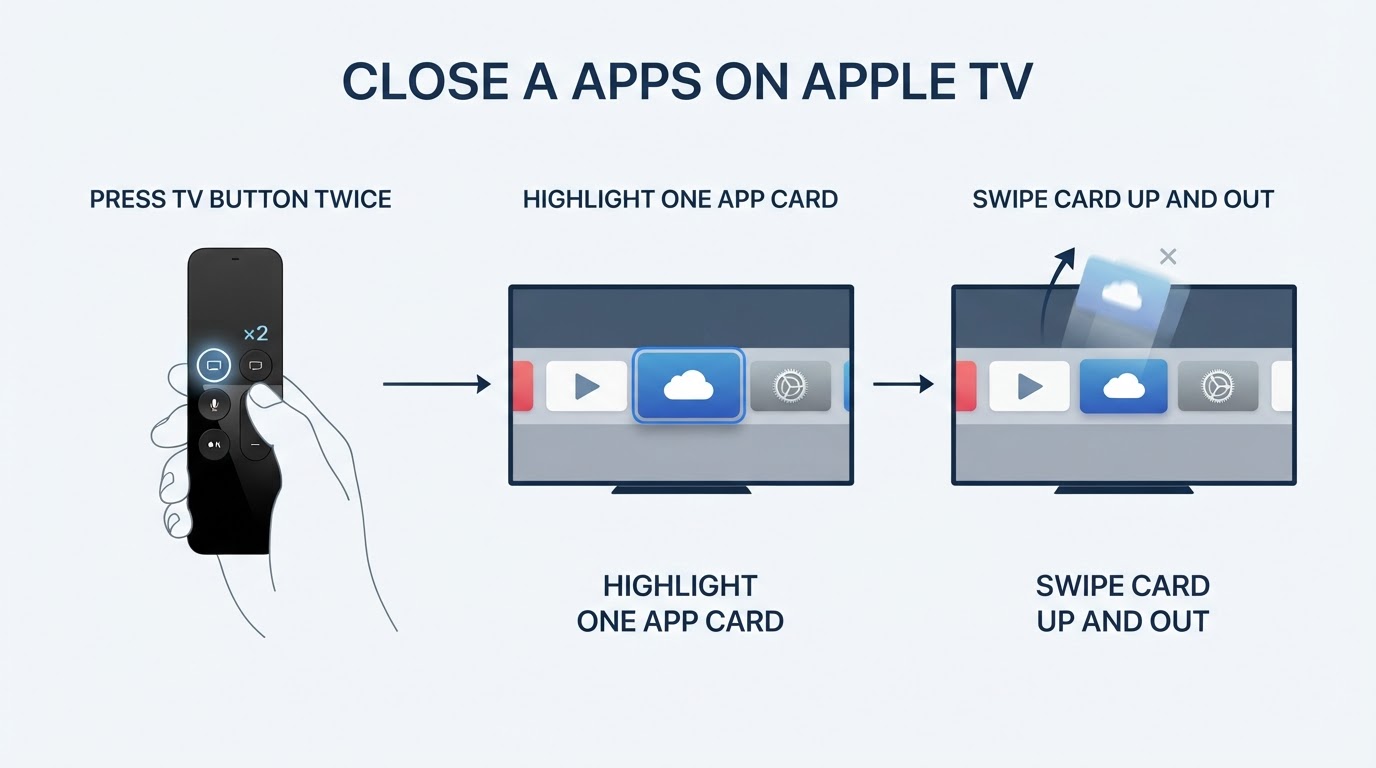
How to Close Apps on Apple TV: Double-Press, Then Swipe Up
Here is the fast answer to how to close apps on apple tv: double-press the TV button, highlight the app card in the row that appears, then swipe up on the touch surface to force that app closed.
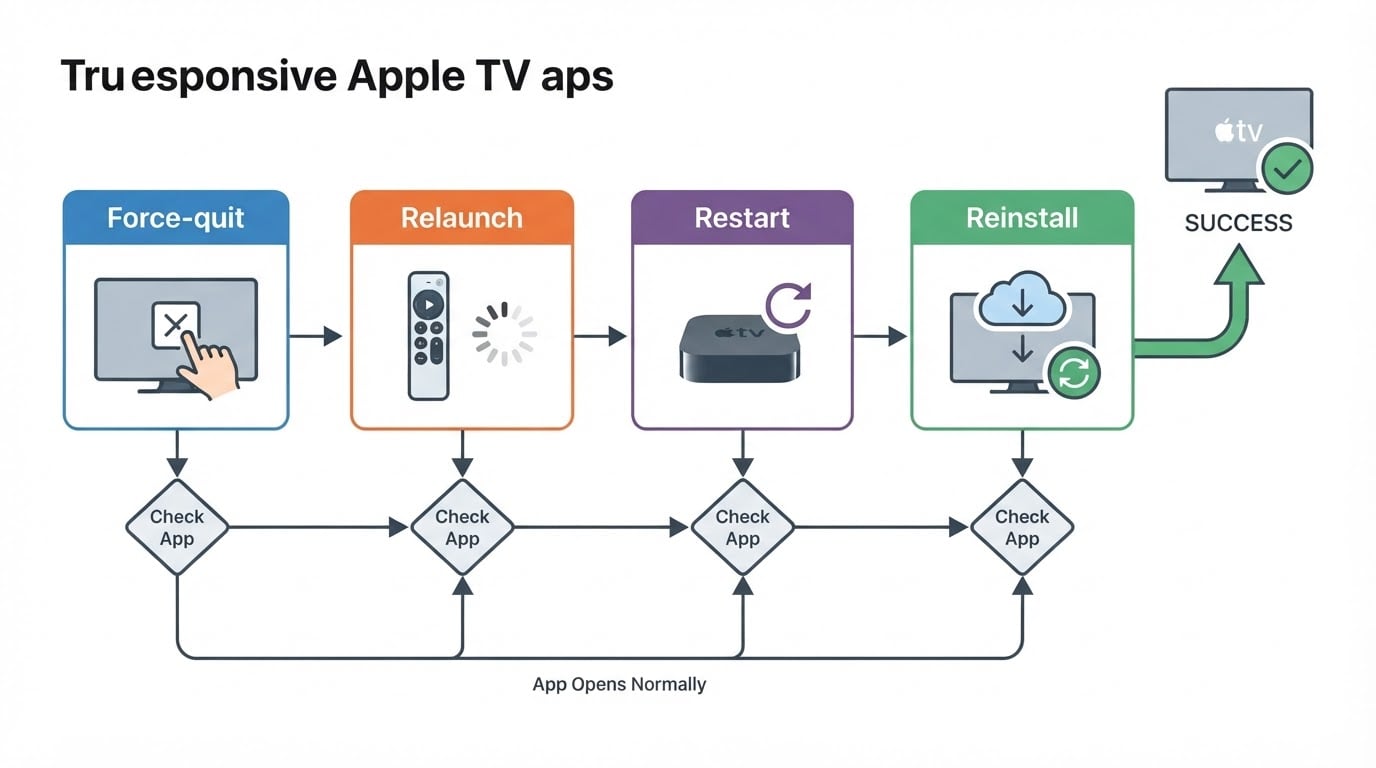
Apple TV apps not working: the ordered fix for a frozen app
Fix apple tv apps not working with one ordered sequence: force-quit the stuck app, relaunch it, restart the Apple TV, then reinstall only if it still stalls.

RemoveMacAI for Mac: Turn Off Apple Intelligence and Remove Its Models
RemoveMacAI is an open-source macOS command-line utility that disables Apple Intelligence, asks Apple’s asset service to remove downloaded models, and blocks them from being fetched again. Here is what it changes, how to preview it, and how to undo it.

How to Update Apps on Apple TV: Manual Updates and Automatic Settings
Apple TV has no update-all button: apps refresh automatically by default, and you can start a manual update from the App Store or control automatic updates in Settings.