All Posts
Browse all blog posts

Purge for Mac: A Cleaner That Sends Files to the Trash
Purge groups Mac caches, developer build artifacts, large files, duplicates, and app leftovers—then moves selected items to the Trash. Here is how its safety labels, review steps, and current release work.

Flo State Native: A Markdown Editor Built Around TextKit 2
Flo State Native brings live Markdown rendering, a file-based workspace, and native TextKit 2 editing to macOS. The current v0.1.1 release is a direct ZIP download.
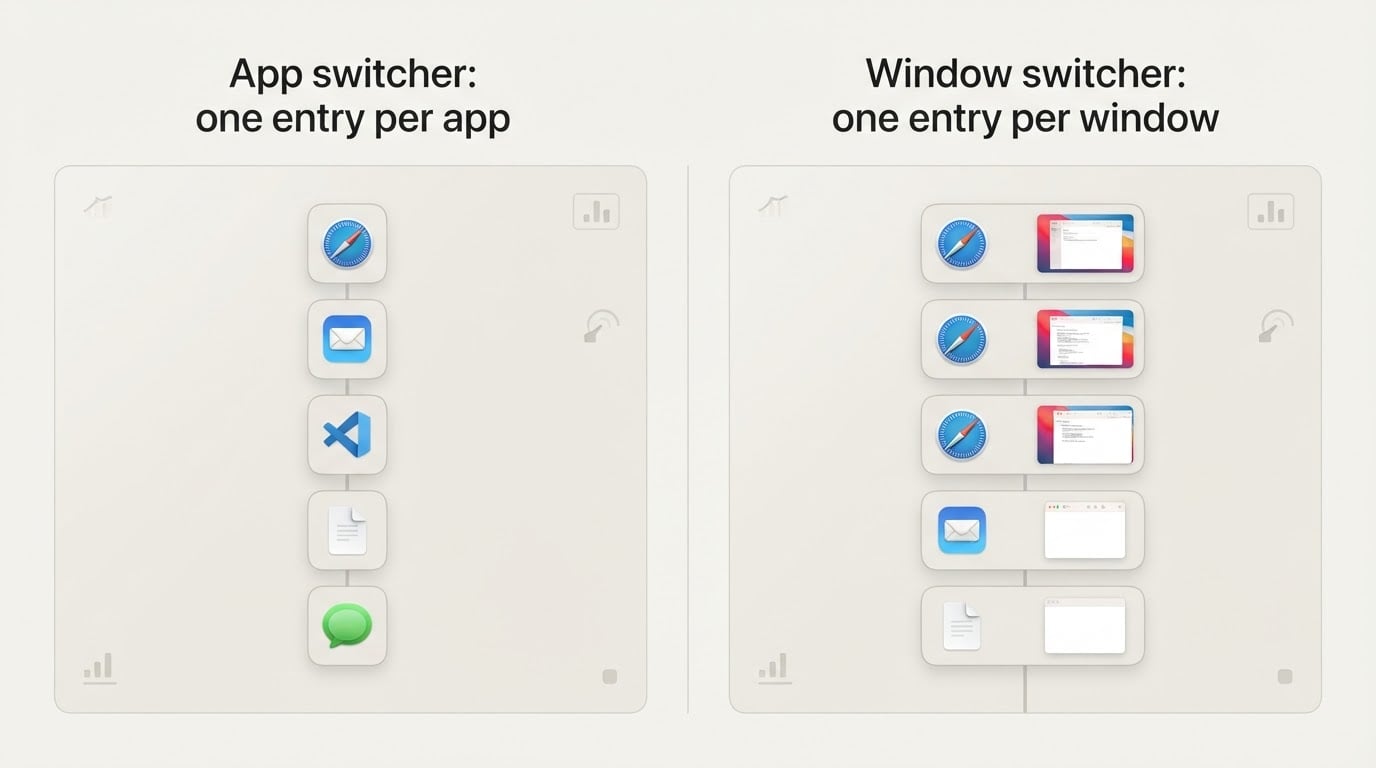
AltTab for Mac: Switch Windows, Not Just Apps (Setup and Permission Guide)
Switch by window instead of by app on macOS: install AltTab for Mac, grant the permission its previews need, and check the settings that make the switch feel like Windows.
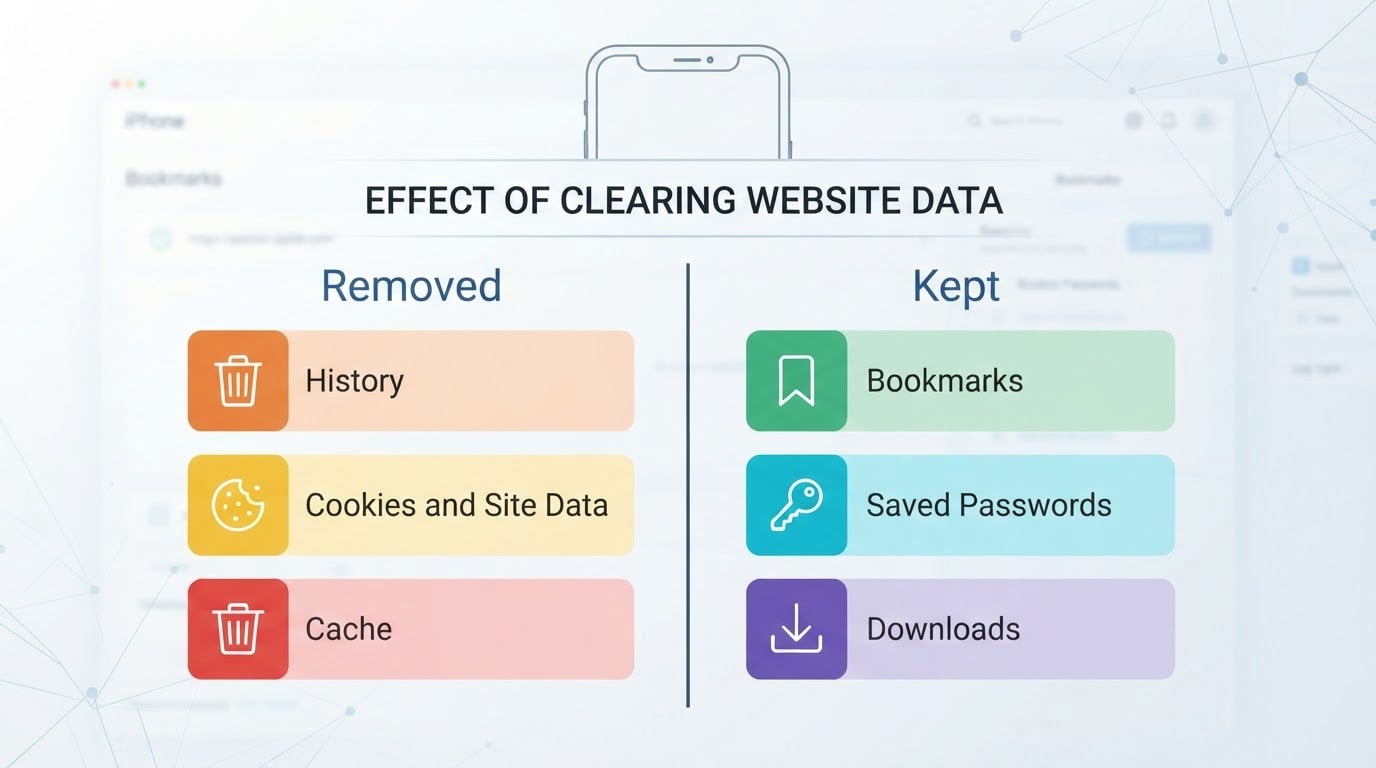
How to Delete Website History on iPhone: Sessions, Cookies, and What Stays
Clearing your browsing record is one Settings path, not a hunt: how to delete website history on iphone also removes cookies and cache, so most sites will ask you to sign in again.

Rectangle Mac: Shortcuts and Snap Zones for Window Layout
A rectangle mac window manager keeps layout on the keyboard: snap windows to edges and corners, resize with shortcuts, and stop chasing window edges with the pointer.

Mado: A macOS Terminal Multiplexer with Persistent Workspaces
Mado brings tmux-style split terminals, persistent project workspaces, plugin sidebars, 22 themes, and a Tasku panel into a native macOS app. Here is how its early v0.0.1 release fits together, what its Claude panel requires, and how to install the official DMG.
gibMacOS: Download macOS Installers From Apple and Make a Bootable USB
gibMacOS pulls macOS installers from Apple's software update catalog, verifies the signed payloads, and writes a bootable USB installer for a Mac that will not start.

Sakura Switch: A Mac Toolkit for Nintendo Switch Files and Homebrew
Sakura Switch brings DBI-based MTP, Wi-Fi FTP, SD-card browsing, save and mod management, and a transactional homebrew installer to macOS. Here is what v1.1.2 fixes, how to install the official build, and where its noncommercial license draws the line.

PaneSpace: A Four-Pane File Manager for macOS
PaneSpace puts up to four local folders, independent tabs, and file transfers in one native Mac window. Here is what its 0.1.1 preview can do, where it is still limited, and how to install the official Apple silicon build.