Put Spotify within reach of the notch
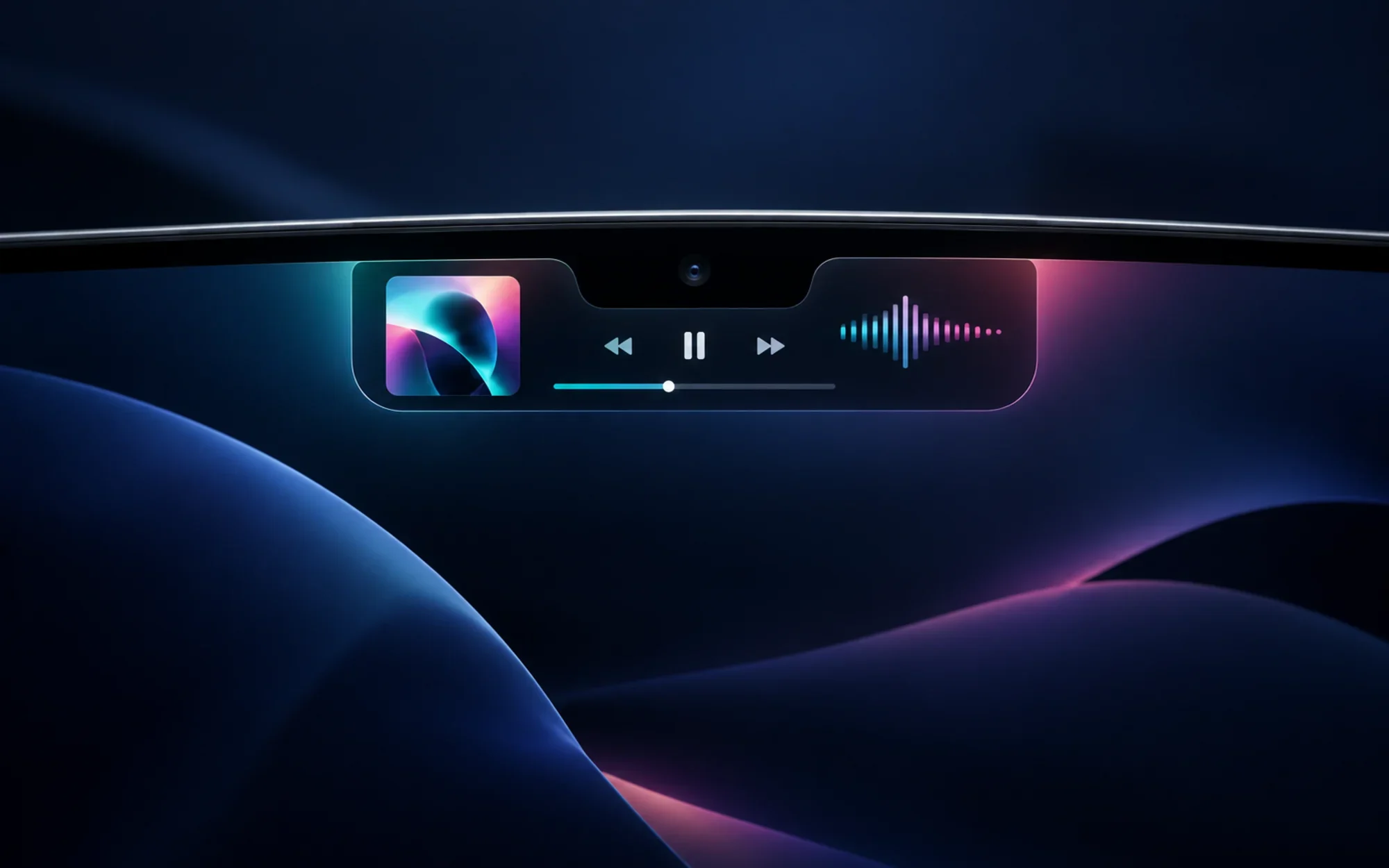
NotchPlayer places the track Spotify is playing beside the MacBook camera cutout. While music is playing, the compact view pairs album artwork on one side with a 14-bar waveform on the other; hover over the notch to expand the panel.
The expanded view adds track and artist details, a progress line you can seek by clicking or dragging, and transport controls. When playback is idle, the app says it draws nothing, leaving the notch unobtrusive.
A Spotify companion, not another streaming service
NotchPlayer controls the Spotify desktop app through macOS automation interfaces. It does not stream, download, or redistribute music, and it is not an alternative player for Apple Music or local audio files.
The app itself does not ask you to sign in to NotchPlayer or create a Spotify developer account. You do need Spotify desktop installed, open, and signed in for track data and playback controls to work. Track links open the selected song or artist in Spotify.
A live waveform, with a local data path
The bars are more than an audio-themed animation when capture works: the app taps Spotify’s audio process through Core Audio and computes a 14-band FFT in memory. The project says those samples are neither stored nor sent elsewhere.
System-audio capture requires macOS permission. If no usable buffers arrive—for example, because permission was denied—the app falls back to synthetic bars rather than leaving a misleading flat display. Treat the waveform as a visual cue, not proof that audio capture is active.
Playback controls and an optional plus button
The panel includes play/pause, previous and next, seek, shuffle, and repeat. The track title, artist, or artwork can open the corresponding item in Spotify, so the notch is a shortcut to the full player rather than a replacement for it.
An optional plus action can add an unsaved song to Liked Songs or open Spotify’s playlist picker for a saved song. Spotify does not expose this action through its scripting dictionary, so NotchPlayer can relay the click through Accessibility only when you enable it. If it is disabled, permission is missing, or Spotify’s interface changes, the control falls back to opening the song.
Check your Mac and permissions first
The project targets macOS 15 Sequoia or later and a MacBook with a physical notch. Its compatibility list covers notched Apple-silicon MacBook Pro and MacBook Air models; on a Mac without a notch the app shows a notice, and Intel Macs are not supported.
Spotify desktop must be installed and signed in. On first launch, macOS asks for Automation so NotchPlayer can read playback state and send controls, and Audio Recording for the waveform. The separate Accessibility permission is optional and is only needed for the Spotify plus action.
The release is ad-hoc signed but not notarized. The project warns that macOS may show a developer-verification warning and may ask for permissions again after updates. Read the project’s setup guidance before deciding whether to proceed; a reduced warning is not the same as Apple notarization.
Install the official release—and understand Gatekeeper
For a direct install, download the official NotchPlayer v0.2 DMG, open it, and drag NotchPlayer into Applications. The project also maintains a Homebrew cask.
If you use Homebrew, the documented command is below. Its cask removes the quarantine attribute after installation to avoid the first-launch block. That changes how Gatekeeper treats the downloaded app; it does not make the app notarized, so use this route only if you are comfortable trusting the project and its source.
brew install --cask arvxanand/notchplayer/notchplayerNo App Store build was identified for this repository. If you do not want to proceed with an app that is not notarized, stop here rather than trying to suppress the warning. The release page and README contain the project’s own installation and permission instructions.
GPL-3.0 and project links
NotchPlayer’s source is licensed under GNU GPL-3.0. The project is not affiliated with or endorsed by Spotify. Check the repository and README, v0.2 release, and Homebrew cask for current details.
Project facts
- License
- GPL-3.0
- Platform
- macOS 15+; Apple-silicon MacBook with a notch
- Written in
- Swift 6, SwiftUI and AppKit; no third-party dependencies
- Version reviewed
- v0.2 (official release checked 2026-09-24)
- Repository
- github.com/arvxanand/NotchPlayer
Install
open https://github.com/arvxanand/NotchPlayer/releases/latest/download/NotchPlayer.dmgLicense summary
NotchPlayer is licensed under GPL-3.0. Redistributed modified versions and derivative works must follow applicable GPLv3 terms, including source and license notices; the software is provided without warranty.


